



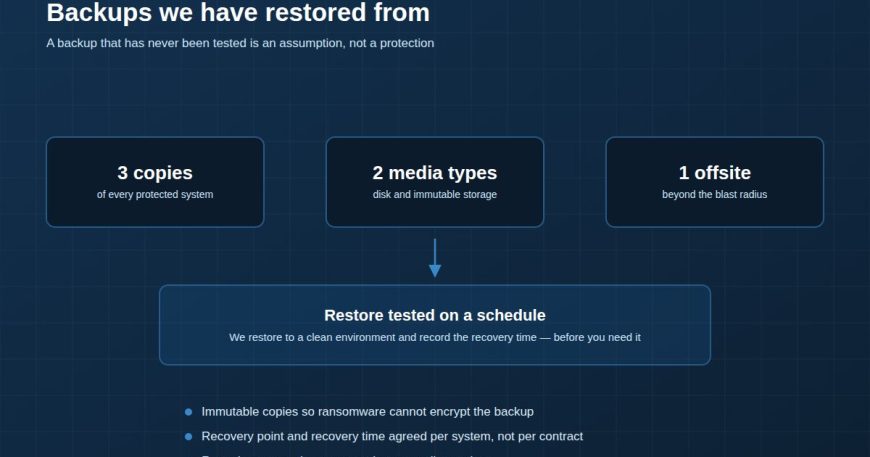
Most IT teams can recite the 3-2-1 rule: three copies of your data, on two different types of media, with one copy offsite. It is good advice and it has aged well. It is also, on its own, not a recovery plan — because every part of it describes how data is stored, and none of it describes whether you can get the business running again.
The gap between a backup job and a recovery
A backup job reports success when it has finished writing. That tells you the copy exists. It does not tell you the copy is consistent, that the application will start from it, that you still have the encryption keys, that anyone remembers the order in which systems must come back, or how long the whole thing takes.
Those are separate questions, and the only way to answer them is to perform a restore.
What we test, and what we write down
A restore test is not “we pulled back a file and it opened”. It is a rehearsal of the situation you are actually afraid of. For each protected system we want to establish:
- Recovery point. How much data is lost, in minutes or hours, when we restore from the most recent usable copy.
- Recovery time. How long from the decision to restore until users can work — measured, not estimated.
- Dependency order. Domain controllers and DNS before application servers, and so on. Getting this wrong turns a four-hour recovery into a two-day one.
- Who does it. Named people, with the access they need, and a documented fallback if the first person is unreachable.
Recovery point and recovery time should be agreed per system, not per contract. Your finance database and your file share do not deserve the same answer.
Ransomware changed what “offsite” has to mean
The classic reason for an offsite copy was physical: fire, flood, theft. Ransomware added a different requirement. If the backup repository is reachable with normal credentials from a compromised machine, it will be encrypted along with everything else. Attackers look for backups first, precisely because destroying them is what makes the ransom work.
This is why immutability matters more than distance. A copy that cannot be modified or deleted for a defined retention window — regardless of who asks, including an administrator account — is the copy that survives. Air-gapped or object-lock storage does this properly; a network share does not, no matter which building it is in.
A schedule that is realistic
Testing everything every month is a plan that gets abandoned by March. What survives contact with a real workload looks more like this:
- Weekly: automated verification that backups completed and are readable.
- Monthly: a file-level and a VM-level restore into an isolated environment.
- Quarterly: a full restore of one business-critical system, timed, with the result recorded against the agreed recovery time.
- Annually: a walkthrough of the whole recovery sequence with the people who would actually run it.
Retention is a compliance question, not a storage question
How long you keep backups should be driven by what your regulator, your contracts and your own legal exposure require — not by how much disk you happen to have. We see both failure modes: companies keeping seven years of daily backups they will never open, and companies keeping fourteen days when their sector requires considerably more.
The uncomfortable question
If your building were unavailable tomorrow morning and your primary storage were gone, how long until the business is invoicing again? If the answer is a shrug or a number nobody has tested, that is the work — not buying more storage.
We restore to a clean environment on a schedule and record the recovery time before you need it. Backup & Data Protection →

