Network Solutions

Network Solutions · Your IT partner since 2016

“The internet is slow” is almost never the internet.

LAN, Wi-Fi, structured cabling, switching and multi-site links, designed, installed, labelled and documented, so the network stops being the thing everyone blames.

Engineering offices in Egypt, delivering on site across Egypt and Saudi Arabia, and supporting clients remotely across the Gulf, Africa, Europe and the United States.

Most people call. It is faster, and you speak to an engineer, not a form.

What a free network survey looks at

Where the Wi-Fi actually failsCoverage, interference and access-point placement measured in the building, not drawn on a plan.

What the links really carryUtilisation, packet loss and latency on the connections everything now depends on.

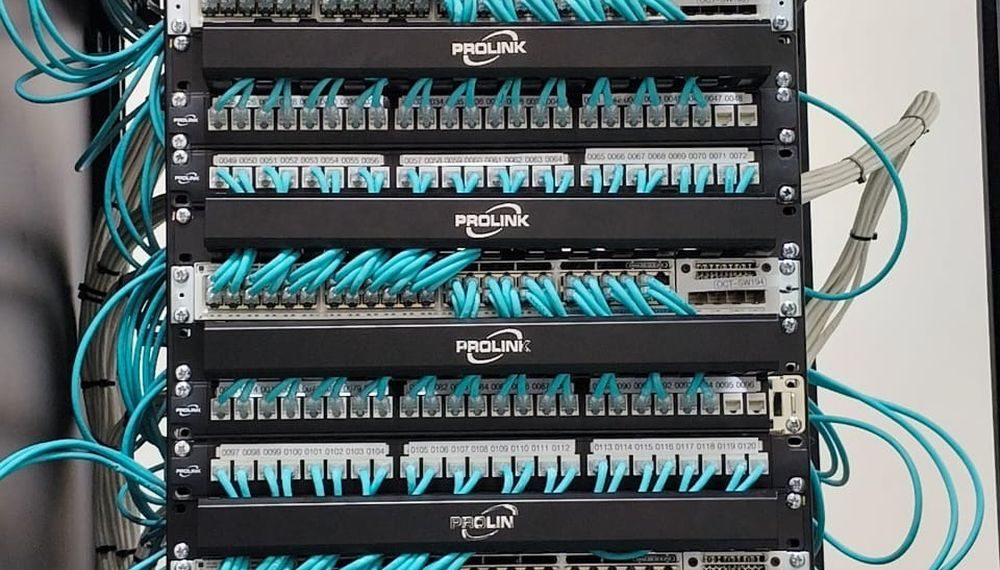
The state of the cabinetUnlabelled patching, daisy-chained switches, and the cable nobody dares unplug.

What happens when one thing diesWhether a single switch, uplink or circuit takes a floor, a site or the whole company offline.
2016
Operating since
50+
IT specialists
40+
Projects delivered
25+
Clients
5.0
Rated on Google
What we see in the field

Why the network gets blamed for everything

Because it is the one thing everybody touches. In our experience the real cause is usually one of these four, and none of them is bandwidth.

Wi-Fi placed by guesswork

Access points mounted where there was a power socket, not where the survey said. Dead corners, overlapping channels, and users who blame the internet every afternoon.

Switches added one at a time

A cabinet grown by accident over eight years: consumer switches under desks, uplinks daisy-chained, and nobody certain what plugs into what.

Cabling that was never tested

Runs terminated badly, over length, or routed alongside power. It passes traffic on a good day and drops packets when the room warms up.

One link, no failover

The whole site on a single circuit because the second one was cut from the budget. When the provider has an outage, the business simply stops.

What we actually build

How we design and build a network

The same order every time, whether it is one floor or several sites. Survey first, because everything downstream depends on what is actually there.

1

Survey and design

On site, with instruments. A network designed from a floor plan is a network designed from a guess.

  • Wireless site survey with real measurements, not estimates
  • Traffic, utilisation and application requirements captured
  • Segmentation and VLAN plan agreed before anything is bought
  • Growth, new floors and new sites factored into the design
  • Resilience decided deliberately, not left to chance
  • Drawings, IP plan and bill of materials issued up front

Segmentation is designed with security in mind. See Network Security.

2

Structured cabling and cabinets

The physical layer decides your ceiling. Everything above it inherits whatever was done here.

  • Copper and fibre installed to standard, tested and certified
  • Containment, routing and separation from power done properly
  • Cabinets built, patched and labelled to a written scheme
  • Patching schedules handed over as a document you can use
  • Power and cooling in the comms room checked, not assumed
  • Test results issued per port, not a verbal assurance

Comms-room and data-centre build sits in Infrastructure Solutions.

3

Switching, routing and Wi-Fi

The active layer, configured to a standard so the next engineer recognises what they are looking at.

  • Core and access switching sized to the design, not the budget
  • VLANs, trunking, spanning tree and QoS configured consistently
  • Wi-Fi deployed against the survey, then validated by walking it
  • Guest access separated from the business network by design
  • Configuration templates and backups held centrally
  • Firmware baselined at install and maintained afterwards

Every device configuration is backed up before and after every change.

4

Multi-site links and resilience

Connecting offices, branches and cloud so that one failure is an inconvenience rather than an outage.

  • Site-to-site VPN, SD-WAN or dedicated circuits as the case needs
  • Dual connectivity from different providers where it is justified
  • Automatic failover configured and then actually tested
  • Routing that behaves predictably when a path disappears
  • Bandwidth sized against real measured usage
  • Remote and home users included in the design, not bolted on

Remote access is covered in VPN & Remote Work.

5

Monitoring, documentation and support

A network you can see is a network you can fix before the phone rings.

  • Monitoring on links, switches, access points and utilisation
  • Alerting that reaches a human who is expected to act
  • As-built documentation, IP plan and diagrams kept current
  • Change control, so the diagram still matches the network
  • Engineers on site when a fault needs hands, not just a ticket
  • Periodic review as headcount, sites and traffic change

Day-to-day operation can sit inside Managed IT.

Where we have done it

Networks we have designed and built

Real Stark projects. Client identifiers are withheld under confidentiality. Sector and scope only.

Government & defence · Egypt

National data centre network

Core switching, segmentation and structured cabling designed and built as part of a full data centre programme.

Multi-site enterprise

Head office and branch connectivity

Sites connected with resilient links and a consistent switching and Wi-Fi standard, so every branch behaves the same way and is supported the same way.

Industrial & manufacturing

Plant and office networks

Cabling, containment and wireless coverage delivered in environments where heat, dust and distance are part of the design brief.

Fintech · 24/7

Segmented network behind a live payment platform

Network access control and segmentation in front of a national payment service, monitored around the clock.

References can be provided directly, on request, with the client’s agreement.

How we advise

Three things we will tell you not to do

Do not buy more bandwidth firstIt is the most common reflex and the least common cure. Measure the link before upgrading it. Most ‘slow internet’ we investigate turns out to be Wi-Fi, cabling or a single misbehaving device.
Do not deploy Wi-Fi from a floor planWalls, lifts, metal racking and the neighbours’ networks decide coverage, and none of them appear on the drawing. A survey costs a fraction of re-mounting access points afterwards.
Do not skip the labellingEvery unlabelled patch panel becomes an hour of downtime later, usually at the worst moment. Labelling and test records are cheap during the install and expensive to recreate.
Before you call

The questions we get asked most

What is the difference between this and Network Security?

This page is about designing and building the network: cabling, switching, Wi-Fi, links and resilience. Network Security is about controlling what can move across it once it exists: segmentation, access control and secure remote access. Most clients need both, and the same team does both.

Can you take over a network somebody else installed?

Yes, and it is a large part of what we do. We start by documenting what is actually there, because in an inherited estate the drawing and the reality usually disagree. Then we fix in priority order rather than proposing a rebuild you do not need.

Do we need a wireless survey, or can you estimate?

We can estimate, and we will tell you when that is reasonable, a small single-floor office, for example. For anything with concrete, metal racking, multiple floors or high density, estimating is how sites end up with dead corners and a second visit.

Do you supply the hardware or only install it?

Either. We can supply as part of the project or design to hardware you buy elsewhere. What we will not do is design around a product because it is what we happen to sell.

How long does a typical office network take?

It depends on cabling volume, building access and whether the site is live, which is why we scope it after the survey. What we can commit to early is the working pattern: disruptive work at night or at weekends, and the site fully operational each morning.

Free network survey · no obligation

Describe the complaint you keep hearing.

“It drops in the meeting room.” “It is slow after lunch.” Those sentences usually tell an engineer where to look before we arrive.

02 3537 5791

Sunday to Thursday, 9am to 6pm · Egypt, and remote worldwide